
BioEden system requirements
Published PC rows, the SSD rule, and what this wiki will not invent.
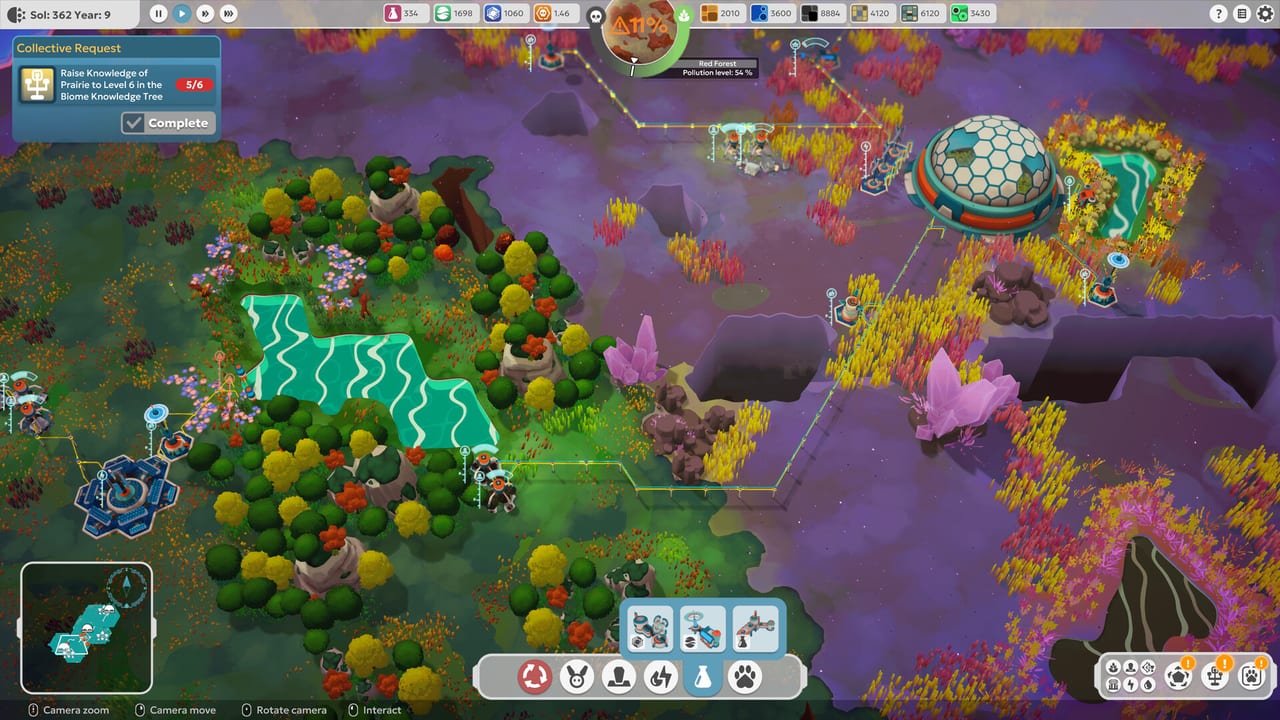
BioEden is a small download with a strict storage line. Broken Arms Games and Focus Entertainment list 3 GB of space and write SSD required on both the minimum and recommended rows. The playable Steam demo is a fair feel for the art; it is not a substitute for reading those rows before you pre-order. This page copies the full-game Steam table, then talks through HDD versus SSD, Low versus Ultra, controllers, and Steam Deck without adding clocks, presets, or upscalers the store page does not name.
The full game is scheduled for 3 September 2026 on Steam, PlayStation 5, Xbox Series, and Nintendo Switch 2. Console SKUs do not publish a PC-style table. Handheld and docked frame-rate targets for Switch 2 are not listed here because Focus has not listed them. If you are buying a television copy, skip the GPU columns and jump to the controller note. If you are on PC, stay with the tables.
Confirm live numbers on the Steam store page before you spend money. This unofficial wiki can lag a hotfix. Other storefronts sit on the Links Hub.
Official minimum and recommended specs
Minimum (published target: 30 FPS at 1920×1080 with the Low preset)
- OS: Windows 10 or Windows 11, 64-bit
- Processor: AMD Ryzen 3 1200 / Intel Core i5-4690K
- Memory: 8 GB RAM
- Graphics: 4 GB VRAM, AMD Radeon RX 460 / Nvidia GeForce GTX 960
- Storage: 3 GB available space
- Additional notes: SSD required
Recommended (published target: 60 FPS at 1920×1080 with the Ultra preset)
- OS: Windows 10 or Windows 11, 64-bit
- Processor: AMD Ryzen 5 1600X / Intel Core i7-7700K
- Memory: 16 GB RAM
- Graphics: 6 GB VRAM, AMD Radeon RX 580 / Nvidia GeForce GTX 1080
- Storage: 3 GB available space
- Additional notes: SSD required
Both columns require a 64-bit processor and operating system. Read the GPU line as a VRAM floor plus an example card, not as a promise that every 4 GB card from 2016 will match an RX 460. Laptop chips with the same name as a desktop card often ship with less power. If your laptop is thermally limited, treat the minimum column as a maybe and cap the frame rate rather than chasing Ultra.
The CPU names are last-generation by 2026 standards on purpose. BioEden is a cozy management game, not a ray-traced shooter. A six-year-old quad-core that beats an i5-4690K is usually fine. A dual-core office box that only matches the RAM line is not. 8 GB is the minimum memory row; 16 GB is the recommended row. Close the browser farm if you are on 8 GB and the demo hitch appears only when Chrome is open.
SSD versus HDD, and why 3 GB is not the whole story
The 3 GB figure tempts people to drop the folder onto an old spinning disk “just for the demo.” Do not. Both official rows say SSD required. That is not flavor text. Streaming foliage, dome interiors, and camera pans across a hex grid hitch when the drive has to seek. A 7200 RPM disk can hold 3 GB easily and still stutter when you rotate from a solar spine into a jungle watering hole.
Install the playable demo and the full game on the same SSD you use for other Steam titles. If your boot drive is full, a second SSD is still the right answer. A USB hard disk is the wrong answer even if the speed test looks fine in a file copy. Copy tests are sequential; camera moves are not.
If the tutorial already hitchs on an SSD at 1080p Low, the bottleneck is probably the GPU, not the 3 GB. Drop to the Low preset Focus quotes for the minimum card. Cap at 30 FPS. If that holds, you are inside the published target. If it does not, this wiki will not invent a magic launch-day patch that doubles your frame rate. The demo guide can help you shrink on-screen clutter; it cannot add VRAM.
Do not read the recommended column as a 4K ticket. The published Ultra target is 60 FPS at 1080p. 1440p and 4K are unstated. You can try them on a stronger card, but this page will not grade those results. Same rule for frame generation, upscalers, and ray tracing: they are unstated, so they are not requirements and they are not features we will list.
Controllers, Steam Deck, and settings you can actually choose
Steam lists full controller support and DualSense support for the product. If you learned the recycle control on a pad in the demo, keep the pad. If you learned on mouse and keyboard, you can stay there; the controls page is the layout reminder, not this spec sheet. DualSense features beyond basic play are not itemized on the store page, so this wiki will not promise adaptive-trigger recipes or a unique speaker cue.
Steam Deck compatibility is Unknown. That is the Steam badge, not a rumor. Unknown is not Verified, not Playable, and not Unsupported. Deck owners should try the playable demo themselves and treat the result as a personal test. This page will not post a TDP, a fake FSR toggle, or a “lock 40 FPS” guide that Focus never wrote.
Settings advice that stays inside the published text: if you only meet minimum, use Low and 1080p, and be satisfied at 30 FPS. If you meet recommended, Ultra at 1080p is the 60 FPS target. If you sit between the two GPU rows — a 4 GB card faster than a 960, or a 6 GB card weaker than a 1080 — start on Low, then raise one step at a time while you pan across a dome and a hex field. Watch frame time, not a benchmark overlay someone recorded on a different planet.
Vsync, windowed mode, and a frame cap are the usual first aids when a cozy game tears or explodes past 200 FPS on a strong PC. BioEden does not need a 240 Hz trophy. The camera is for reading humidity and pollution, not for flick shots. If a cap makes the planet feel smoother, keep it.
How to use this checklist before 3 September 2026
Run the playable Steam demo on the machine you will use in September. That is the only benchmark that matters. Note the preset, the resolution, and whether the install sat on an SSD. If the tutorial holds 30 FPS at Low, you are in the minimum conversation. If it holds 60 at a high preset, you are in the recommended conversation. If it does not hold 30, fix the disk and the overlay first, then reconsider the purchase.
Launch morning is a fresh save. Demo progress does not transfer. Skipping the tutorial — covered on Launch Day — does not skip the hardware. Install the 3 GB on the SSD the night before. Steam Cloud, achievements, and Family Sharing are listed for the full Steam product; they do not change the GPU row.
After the machine is honest, pick a guild with the guild picker and go back to Getting Started. Specs do not heal a planet. Recycle still does. For the store URL, use Steam. For Discord, FAQ, and support, use Links. This page will change if Focus edits the table; it will not grow a fake advanced-graphics bible in the meantime.
Frequently Asked Questions
Quick answers to the most common questions.
What are BioEden’s minimum PC specs?
Windows 10/11 64-bit, Ryzen 3 1200 or i5-4690K, 8 GB RAM, 4 GB VRAM (RX 460 / GTX 960), 3 GB on an SSD, targeting 30 FPS at 1080p Low. Confirm on [Steam](https://store.steampowered.com/app/3265840/BioEden/).
Is an SSD actually required?
Yes. Both official rows say SSD required. The 3 GB size is not permission to use a spinning disk. Install the playable demo on an SSD before you judge performance.
Is BioEden Verified on Steam Deck?
No. Steam lists Deck compatibility as Unknown. This wiki will not invent a verified badge. Try the demo on the handheld if you own one.
Does BioEden support controllers?
Steam lists full controller support and DualSense. Layout help sits on controls. DualSense extras beyond that listing are unstated.
Will a stronger card unlock 4K?
Unstated. The published Ultra target is 60 FPS at 1080p. This page will not grade 1440p or 4K. For launch timing, see Launch Day.